

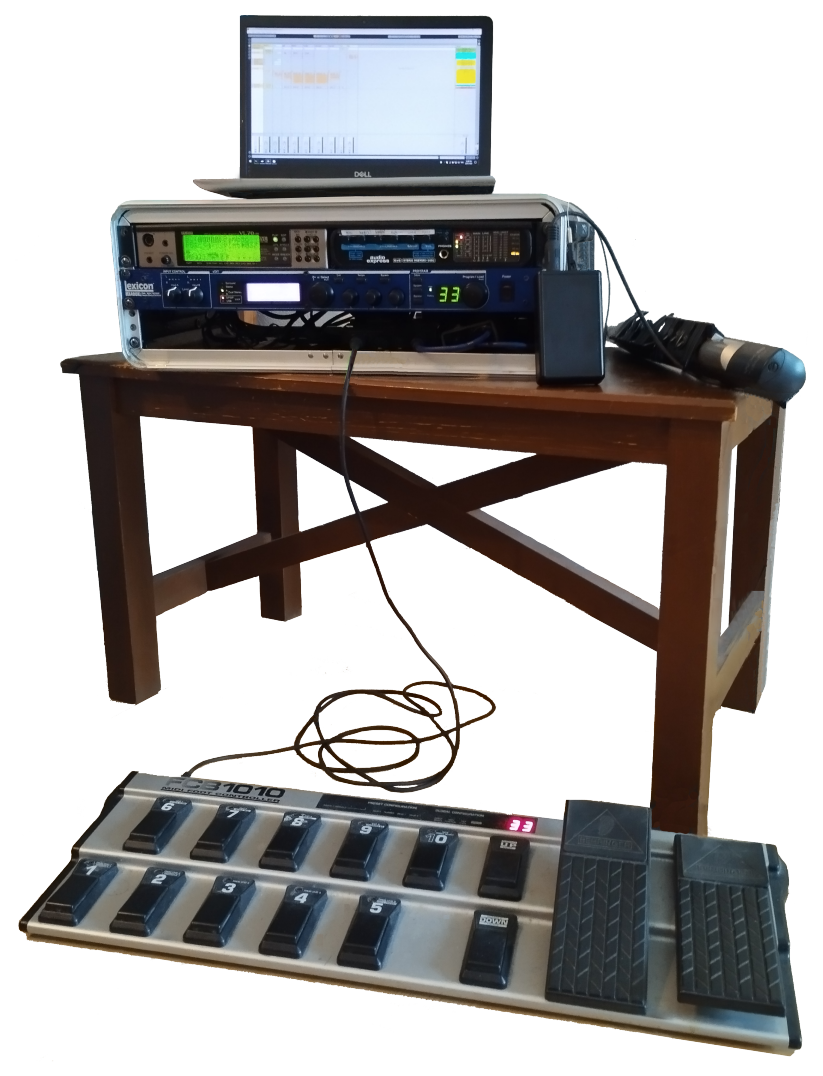
 We now have the major components of the rig set up, so the next step is to hook them up together. I use a MOTU Audio Express, which is a 6-in, 6-out, half-width 1U digital mixer.
| MIC 1 | unusedI also play alto sax, so I sometimes plug my wireless mic into here, so that I can run it through the Lexicon. |
| MIC 2 | Lexicon B return (left) |
| IN 3 | Lexicon B return (right) |
| IN 4 | VL70‑mWhile the VL70‑m can output stereo, it doesn't seem particularly useful for us to do that, since we've turned off all the effects. I would also like to keep MIC 1 free for my sax. |
| S/PDIF | Lexicon A return (stereo) |
| MAIN | final mix |
| OUT 3 | Lexicon B input (left) |
| OUT 4 | Lexicon B input (right) |
| S/PDIF | Lexicon A input (stereo) |
Click here to see the complete layout.
Output mixes
The MOTU Audio Express has 4 separate output mixes, which are set up like this:
| MIC 1 | - |
| MIC 2 | Lexicon B return (left), panned left |
| IN 3 | Lexicon B return (right), panned right |
| IN 4 | VL70‑m |
| S/PDIF | Lexicon A return (stereo) |
| MIC 1 | - |
| MIC 2 | - |
| IN 3 | - |
| IN 4 | VL70‑m |
| S/PDIF | - |
| MIC 1 | - |
| MIC 2 | - |
| IN 3 | - |
| IN 4 | VL70‑m |
| S/PDIF | - |
Adjusting the mix from the front panel
During a gig, you will typically only want to adjust the relative balance for the VL70‑m and Lexicon returns in the main mix:
- make sure Mix 1 is selected (push the Mix knob until the green #1 LED lights up in the Mix panel)
- use the 6 knobs to adjust the levels for the 5 input channels (MIC 1+2, IN 3+4, S/PDIF), and the master output
Synchronizing the digital clocks
Because we are sending digital audio between the Lexicon and MOTU (over S/PDIF), their clocks need to be synchronized. I set the MOTU to be the masterRun the MOTU Audio Console program and set Master Clock Source to Internal., and the Lexicon to be the slaveOpen the System page and set Clock Source to be DIG 44.1 kHz.


